Exam days are stressful. But nothing beats the panic of exam morning when you cannot find your roll number slip. Every semester, many VU students face this problem at the last moment.
Here is the truth. Without this slip, you cannot enter the exam center. The rule is strict and there is no leniency. So let us solve this problem today. This guide shows you how to download your slip, what to check on it, and how to fix common errors.
What Is the VU Roll Number Slip?
The roll number slip is your official exam document. It works as your entry pass for the examination campus.
The slip contains your important exam details.
- Your name and roll number
- Your exam center name and address
- Your exam dates and timings
- Your subjects for that exam session
- Exam rules you must follow
You must bring the printed slip on every exam day. No slip means no entry. Simple as that.
When Does the Slip Become Available?
VU releases roll number slips after the exam date sheet is announced. Usually the slips become available one to two weeks after the date sheet.
So keep checking your VULMS and your university email around exam season. VU also sends announcements when the exam scheduling starts.
How to Download Your VU Roll Number Slip
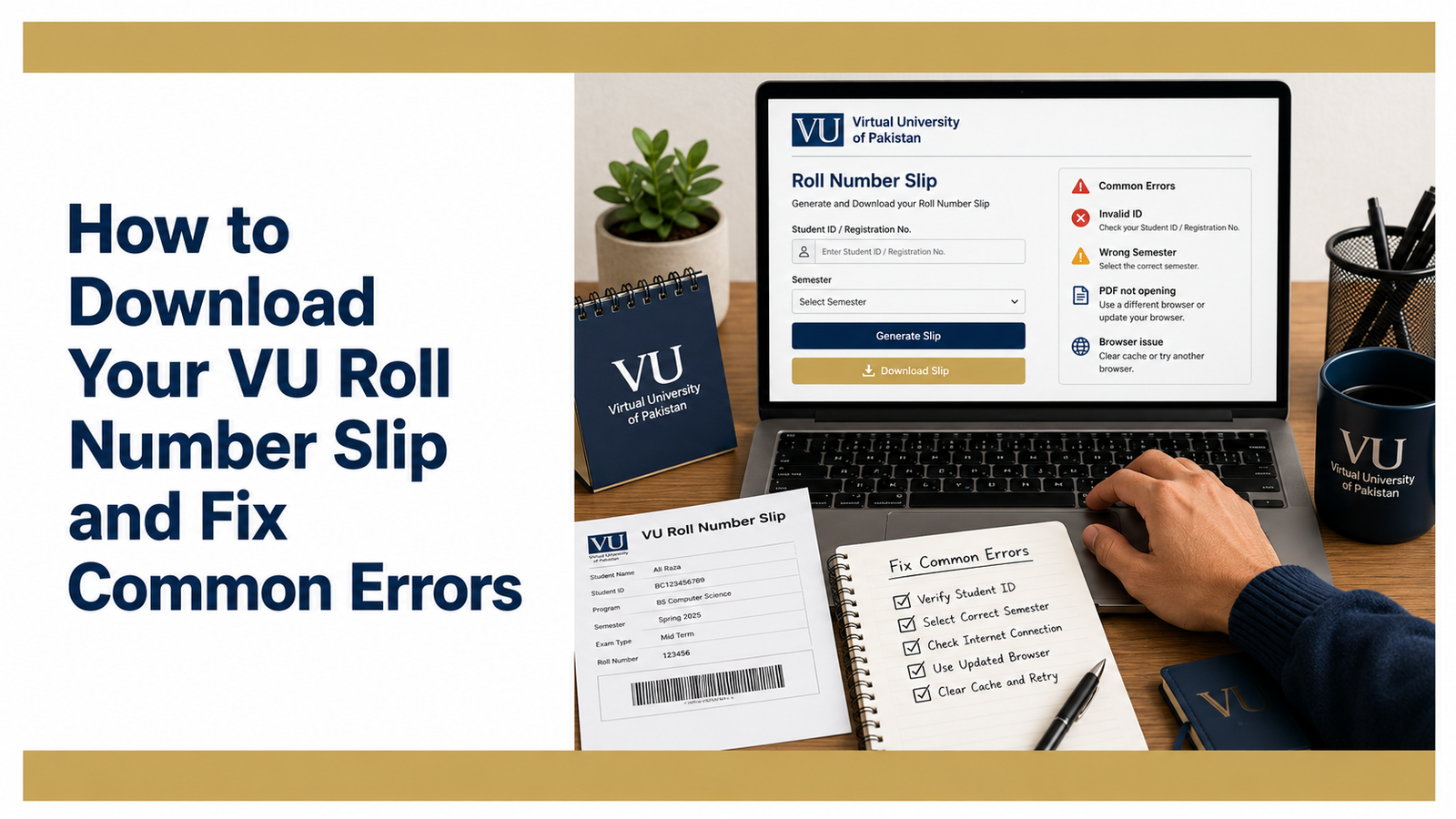
VU uses an online exam scheduling system. You select your exam details yourself and then print your slip. Follow these steps carefully.
First, go to the VU exam scheduling portal at datesheet.vu.edu.pk. Then log in with your VULMS ID and password.
After login, select your exam city. Then choose your exam center from the list of available centers.
Now select the exam date and start time for each of your courses. Pick the options that suit you from the available slots. Then click the confirm button.
Repeat the date and time selection for all your remaining courses one by one. Once every course is scheduled, generate and print your examination slip from the option at the bottom of the page.
That is it. Your roll number slip is ready. Keep the printout safe until your exams end.
Be Careful Before Confirming
This part is very important. Read it twice.
Once you confirm your exam center, you cannot change it. Once you confirm your dates and times, you cannot modify them either. The system locks your selections.
So think before you click. Check your personal schedule. Check the distance of the exam center from your home. Check that two papers do not fall too close together. Only confirm when you are fully sure.
Many students rush this step and regret it later. Do not be one of them.
Common Errors and How to Fix Them
Now let us solve the problems students face most often.
You Cannot Log In to the Portal
This is the most common issue. First, check that you are typing your VULMS ID and password correctly. Passwords are case sensitive, so check your caps lock too.
If it still fails, use the password recovery option. And if nothing works, email the VU support team from your registered email. They respond and reset your access.
Your Slip Shows Wrong Information
Open your slip and check every detail on the day you download it. Your name. Your roll number. Your subjects. Your center.
If anything looks wrong, do not wait. Contact the VU examination department immediately through email or the support system. Errors take time to fix. Reporting on exam morning is too late.
A Subject Is Missing From Your Slip
This can happen if a course was not properly registered in your semester. Log in to your VULMS and check your enrolled courses. If the course shows there but not on the slip, contact the exam department right away.
You Lost Your Printed Slip
No need to panic. Log in to the portal again and print another copy. Nothing stops you from printing it multiple times. In fact, smart students keep two copies. One in their bag and one at home.
The Portal Is Slow or Not Opening
This usually happens when thousands of students open the portal on the first day of scheduling. Wait a few hours and try again. Also try a different browser or clear your browser cache. The rush settles down after a day or two.
Tips for Exam Day
Keep these small tips in mind. They save you from big trouble.
Print your slip at least two days before your first paper. Never leave printing for exam morning. Printers fail at the worst times.
Keep your original CNIC or student card with you along with the slip. Identity checks happen at centers.
Reach your exam center early on the first day. You will need extra time to find your building and room.
Read the rules written on your slip. Electronic devices and any cheating material are strictly banned. Breaking rules can cancel your paper.
Prepare Well Along With Your Slip
Your slip gets you into the exam hall. But your preparation gets you the marks. Make sure your study game is as ready as your documents.
If your final term is coming, read our guide on how to pass the VU exam. And to practice smart, learn how to use VU past papers for final exam preparation. These two guides will complete your preparation.
Final Words
The VU roll number slip takes five minutes to download. But small mistakes around it cause big stress. So schedule your exams carefully. Check every detail on your slip. Fix errors early. And print your slip well before exam day.
Do these simple things and your exam days will go smooth. Good luck with your papers.